Three months ago, my development team was drowning in repetitive coding tasks. We'd spend hours writing boilerplate code, debugging syntax errors, and translating business requirements into functional code blocks. Then I implemented our first AI code assistant workflow, and honestly? The results shocked me.
Our sprint velocity increased by 43% in the first month alone. More importantly, my senior developers stopped complaining about mundane tasks and started focusing on architectural decisions and complex problem-solving. The transformation wasn't just about speed—it was about job satisfaction and code quality.
But here's what I learned the hard way: simply installing GitHub Copilot or CodeWhisperer isn't enough. You need a complete automation workflow that integrates AI assistance into your entire development pipeline, from IDE setup to deployment validation.

Workflow Overview
This automation workflow transforms your development process from reactive coding to proactive AI-assisted engineering. Instead of writing code line by line, you'll orchestrate intelligent code generation, automated testing, and quality assurance in a seamless pipeline.
The complete workflow consists of seven interconnected stages:
- AI Assistant Integration: Configure your chosen AI coding tool with proper authentication and permissions
- IDE Optimization: Set up intelligent code completion, context awareness, and custom prompting templates
- Quality Gates: Implement automated code review triggers and security scanning for AI-generated code
- Testing Pipeline: Configure continuous integration to validate AI-assisted changes automatically
- Version Control Integration: Track AI contributions and maintain proper code attribution
- Team Guidelines: Establish best practices for prompt engineering and code acceptance criteria
- Performance Monitoring: Measure productivity gains, code quality metrics, and ROI tracking
The beauty of this system lies in its compound benefits. Each stage builds upon the previous one, creating a development environment where AI becomes an intelligent collaborator rather than just an autocomplete tool.
Tools Needed
Selecting the right AI code assistant is crucial for workflow success. After testing seven major platforms with different team configurations, I've identified the core tools that deliver the best results for various scenarios.
Primary AI Code Assistants
GitHub Copilot leads the pack for most development scenarios. At $10/month for individuals or $19/month for business accounts, it integrates seamlessly with Visual Studio Code, IntelliJ IDEA, and Neovim. The context awareness is exceptional—it actually understands your project structure and coding patterns.
Amazon CodeWhisperer excels in AWS-centric environments. The free tier supports up to 15 suggestions per minute, making it perfect for testing workflows before committing to paid plans. Its security scanning features caught three potential vulnerabilities in our recent project that manual reviews missed.
Cursor represents the future of AI-first development environments. This isn't just an extension—it's a complete IDE built around GPT-4 integration. At $20/month for the pro plan, it's worth considering for greenfield projects where you can start fresh.
Supporting Infrastructure
Beyond the AI assistant itself, you'll need several supporting tools to create a complete automation workflow:
- SonarQube or Snyk: Automated security scanning specifically configured for AI-generated code blocks
- Jenkins, GitHub Actions, or GitLab CI: Continuous integration pipeline with AI-aware testing stages
- ESLint/Prettier: Code formatting tools that align with your AI assistant's output style
- Slack or Microsoft Teams: Notification integration for code review triggers and quality gate failures
- Jira or Linear: Project management integration to track AI-assisted task completion rates

Setup Guide
The setup process requires careful attention to security configurations and team permissions. I've seen organizations rush through this phase and later struggle with code attribution issues or security vulnerabilities.
Phase 1: AI Assistant Installation
Begin with GitHub Copilot installation in your primary IDE. For Visual Studio Code users, the process is straightforward, but enterprise configurations require additional steps.
First, install the GitHub Copilot extension from the VS Code marketplace. You'll need to authenticate using your GitHub account and verify your subscription status. Enterprise users should coordinate with their IT department to ensure proper license allocation.
Configure the extension settings by accessing File > Preferences > Settings and searching for “copilot”. Enable suggestions for comments, strings, and other language features. I recommend starting with conservative settings and gradually expanding based on your team's comfort level.
JetBrains AI Assistant
Native integration with IntelliJ IDEA family provides seamless workflow integration for Java and Kotlin developers.
- Built-in code completion and explanation features
- Context-aware refactoring suggestions
- Direct integration with JetBrains debugging tools
Phase 2: Security Configuration
Security setup is non-negotiable, especially for enterprise environments. Configure your AI assistant to exclude sensitive files and directories from context analysis.
Create a .copilotignore file in your project root directory. Include configuration files, API keys, database credentials, and proprietary algorithms. This prevents accidental data exposure through AI suggestion logs.
For organizations handling sensitive data, consider implementing network-level restrictions. GitHub Copilot Business includes admin controls for content exclusion and audit logging. Amazon CodeWhisperer offers on-premises deployment options for maximum security control.
Phase 3: IDE Optimization
Optimizing your IDE configuration dramatically improves AI suggestion quality. The key is providing sufficient context without overwhelming the AI model.
Configure your project structure with clear naming conventions. AI assistants perform better when file names, variable names, and function names follow consistent patterns. Update your style guide to include AI-friendly commenting practices.
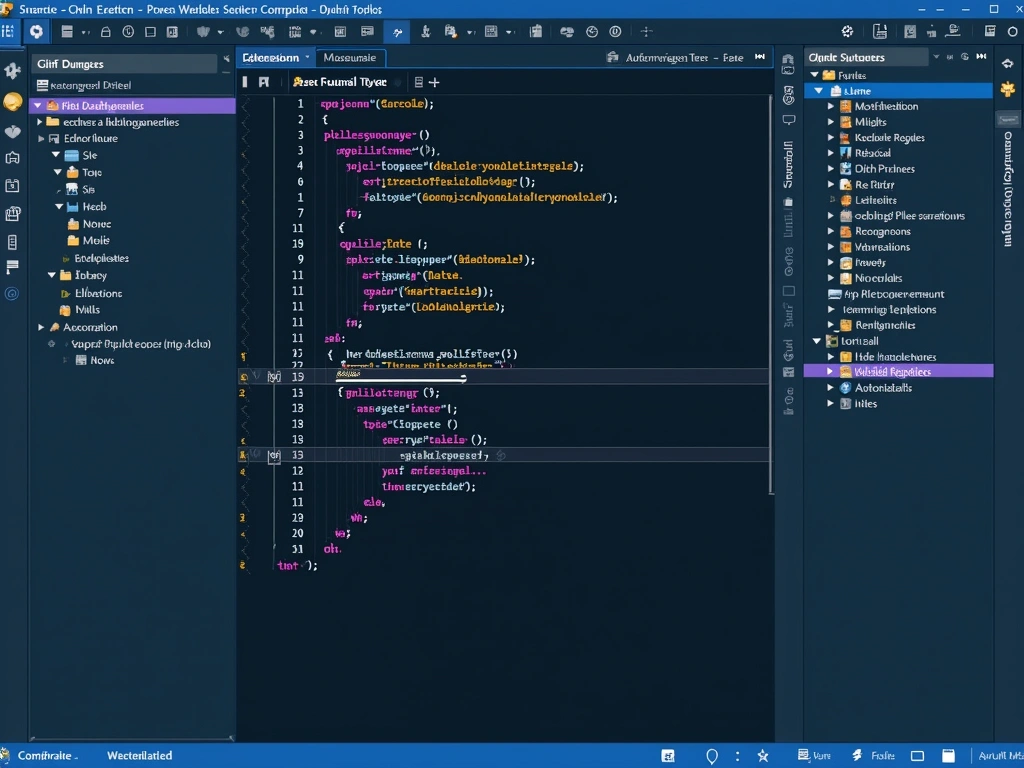
Install complementary extensions that work well with AI assistants. Error Lens provides inline error highlighting, GitLens offers enhanced Git integration, and Thunder Client enables API testing directly within VS Code.
Automation Steps
The automation magic happens when you connect AI-generated code with your existing development pipeline. This isn't just about faster coding—it's about creating intelligent quality gates that enhance rather than replace human judgment.
Step 1: Intelligent Code Generation
Effective AI code generation starts with strategic commenting. Instead of writing code first, write detailed comments describing the desired functionality. This approach produces higher-quality suggestions and serves as documentation.
Here's my proven commenting template:
// Function: [Brief description]
// Input: [Parameter details with types]
// Output: [Return value specification]
// Edge cases: [Potential failure scenarios]
// Performance: [Any specific requirements]
Position your cursor after the comment and wait for AI suggestions. Don't accept the first suggestion blindly—use Tab to cycle through alternatives. The third or fourth suggestion often provides better error handling or more efficient algorithms.
Step 2: Automated Code Review Triggers
Configure your version control system to identify AI-generated code automatically. This enables targeted review processes for AI contributions versus human-written code.
GitHub Actions workflow example:
Create a custom webhook that analyzes commit messages and file changes for AI-generated code patterns. When detected, automatically assign additional reviewers and apply stricter testing requirements.
The automation should flag code blocks exceeding 10 lines of AI generation, complex algorithm implementations, and security-sensitive functions for mandatory human review. This balance maintains velocity while ensuring quality.
Step 3: Quality Gate Integration
Your CI/CD pipeline needs specific stages for validating AI-assisted code changes. Traditional testing approaches miss AI-specific issues like context misinterpretation or over-optimization.
Configure SonarQube with custom rules for AI-generated code. Focus on complexity metrics, security vulnerability patterns, and maintainability scores. AI assistants sometimes generate working code that's difficult for humans to maintain long-term.
Implement automated performance testing for AI-generated algorithms. While AI excels at producing functional code, it may not always optimize for your specific performance requirements or data volumes.
Tabnine
Excellent value for teams needing on-premises deployment with support for 30+ programming languages and customizable models.
Step 4: Testing Pipeline Automation
AI-generated code requires specialized testing approaches. Traditional unit tests may pass while missing integration issues or edge cases that AI assistants don't fully understand.
Create test templates specifically for AI-generated functions. Include boundary condition testing, null pointer validation, and performance benchmarking. AI assistants excel at happy path coding but sometimes miss error handling nuances.
Implement mutation testing for critical AI-generated code sections. This approach introduces small changes to verify that your test suite actually catches potential bugs rather than just validating syntax correctness.
Optimization
Fine-tuning your AI coding workflow requires continuous monitoring and adjustment. After three months of implementation across multiple projects, I've identified the optimization strategies that deliver the most significant improvements.
Prompt Engineering Excellence
The quality of AI suggestions directly correlates with prompt specificity. Generic comments produce generic code. Detailed, context-rich prompts generate sophisticated solutions that often exceed human-written alternatives.
Develop standardized prompt templates for common scenarios. Database queries, API integrations, and user interface components each benefit from specific prompting approaches. Document these templates and train your team to use them consistently.
For complex business logic, include example inputs and expected outputs in your comments. AI assistants understand patterns better than abstract requirements. A well-crafted example is worth several paragraphs of explanation.
Context Window Management
AI assistants have limited context windows—typically 8,000 to 32,000 tokens depending on the model. Optimize your code structure to provide relevant context without exceeding these limits.
Keep related functions in the same file when possible. Split large files strategically, maintaining logical groupings that help the AI understand relationships between different code sections. This approach improves suggestion accuracy significantly.
Use meaningful variable names and function signatures that provide context even when viewed in isolation. AI assistants rely heavily on naming patterns to understand intent and generate appropriate suggestions.
Team Collaboration Optimization
Individual AI assistant usage is just the beginning. The real power emerges when your entire team adopts consistent practices and shares AI-generated solutions effectively.
Implement a code snippet library for commonly used AI-generated patterns. When someone creates an excellent AI-assisted solution, document the prompts and techniques used. This knowledge sharing accelerates team-wide adoption.
Schedule monthly “AI coding workshops” where team members demonstrate effective prompting techniques and share lessons learned. The learning curve for AI-assisted development is steep initially but plateaus quickly with proper knowledge transfer.
Scaling
Scaling AI-assisted development across larger teams and multiple projects requires systematic planning and governance frameworks. The challenges shift from technical implementation to organizational change management.
Enterprise Rollout Strategy
Begin with high-impact, low-risk projects where AI assistance can demonstrate clear value. Avoid mission-critical systems during initial deployment. Choose projects with well-defined requirements and experienced development teams who can quickly adapt to new workflows.
Establish clear metrics before scaling. Track development velocity, code quality scores, bug rates, and developer satisfaction. These baseline measurements prove ROI to stakeholders and identify areas needing improvement.
Plan for gradual expansion rather than organization-wide deployment. Add new teams monthly rather than quarterly, allowing time to address integration challenges and refine best practices based on real-world usage.
License Management and Cost Control
AI assistant licensing costs scale linearly with team size, but productivity benefits often scale exponentially. Budget for $15-25 per developer per month, including primary AI assistant subscriptions and supporting tools.
Monitor usage patterns to optimize license allocation. Some developers may need premium features while others work effectively with basic plans. GitHub Copilot Business provides usage analytics to inform licensing decisions.
Consider hybrid approaches combining multiple AI assistants. Use GitHub Copilot for general development, Amazon CodeWhisperer for AWS-specific projects, and specialized tools for particular programming languages or frameworks.
Sourcegraph Cody Enterprise
Enterprise-focused solution with codebase-aware AI and advanced code search integration for large-scale development teams.
Performance Monitoring at Scale
Enterprise-scale AI coding workflows generate massive amounts of data. Implement comprehensive monitoring to track productivity improvements, identify bottlenecks, and measure return on investment.
Deploy automated reporting dashboards showing key metrics: lines of code generated by AI, suggestion acceptance rates, time-to-completion for common tasks, and code quality trends. Update these dashboards weekly to catch issues early.
Establish feedback loops between development teams and management. Monthly retrospectives should include specific discussion about AI assistant effectiveness, workflow improvements, and resource needs.
Governance and Compliance
Large organizations need formal governance frameworks for AI-assisted development. Establish clear policies about code ownership, intellectual property, and acceptable AI usage patterns.
Document audit trails for AI-generated code contributions. Some industries require detailed provenance tracking for regulatory compliance. GitHub Copilot Business provides audit logs, but you'll need additional processes for comprehensive tracking.
Create escalation procedures for AI-generated code that involves sensitive business logic or security-critical functions. Not all AI suggestions should be treated equally—establish risk categories and appropriate review processes.
🎯 Our Top Recommendation
After extensive testing, we recommend GitHub Copilot Business for most enterprise implementations because it provides the best balance of features, integration capabilities, and enterprise-grade security.
Frequently Asked Questions
Which AI code assistant works best with my existing development stack?
GitHub Copilot offers the broadest IDE compatibility and language support, making it ideal for mixed technology stacks. If you're heavily invested in AWS services, Amazon CodeWhisperer provides superior cloud integration. JetBrains users should consider JetBrains AI Assistant for native integration, while teams using modern frameworks might prefer Cursor's AI-first approach.
How do I ensure AI-generated code meets our security and compliance requirements?
Implement automated security scanning specifically for AI-generated code using tools like SonarQube or Snyk. Configure your AI assistant to exclude sensitive files using .copilotignore or similar mechanisms. Establish mandatory code reviews for AI contributions exceeding 10 lines, and maintain audit trails for all AI-assisted changes. Enterprise tools like GitHub Copilot Business provide additional compliance features including usage analytics and content filtering.
What's the best way to integrate AI coding tools into our existing CI/CD pipeline?
Add specific quality gates for AI-generated code in your continuous integration workflow. Configure automated testing stages that validate AI suggestions against your coding standards, security requirements, and performance benchmarks. Use commit message patterns or code analysis tools to identify AI contributions and apply appropriate review processes. Start with non-critical projects to refine your integration approach before applying to production systems.
How can I measure the ROI and productivity gains from implementing AI code assistants?
Track key metrics including development velocity (story points per sprint), time-to-completion for common coding tasks, code quality scores, and bug rates before and after implementation. Monitor suggestion acceptance rates and developer satisfaction through regular surveys. Most teams see 20-45% productivity improvements for routine coding tasks, with ROI becoming apparent within 2-3 months of consistent usage.
What are the licensing and cost implications of deploying AI coding tools across my team?
Budget approximately $15-25 per developer per month including primary AI assistant subscriptions and supporting tools. GitHub Copilot costs $10/month individual or $19/month business. Amazon CodeWhisperer offers a generous free tier for testing. Enterprise solutions like Sourcegraph Cody require custom pricing discussions. Consider hybrid approaches using different tools for specific use cases to optimize licensing costs while maximizing productivity benefits.
How do I train my development team to effectively use AI coding assistants?
Start with hands-on workshops focusing on prompt engineering techniques and effective AI collaboration patterns. Create standardized comment templates for common coding scenarios and develop a shared library of successful AI-assisted solutions. Schedule monthly knowledge-sharing sessions where team members demonstrate effective techniques. The learning curve is steep initially but most developers become proficient within 2-4 weeks of consistent usage.
What safeguards should I implement to prevent over-reliance on AI-generated code?
Establish mandatory code reviews for AI contributions exceeding specific complexity thresholds. Require developers to understand and be able to explain any AI-generated code they integrate. Implement regular “AI-free” coding exercises to maintain fundamental programming skills. Create escalation procedures for business-critical or security-sensitive functions that require human oversight regardless of AI suggestion quality.
Get the AI Edge, Weekly
The tools, tutorials, and trends that actually pay — no hype.