

- Understanding the AI Social Media Automation Landscape
- Selecting the Right AI Social Media Tool for Your Needs
- Setting Up Your AI Content Generator and Training It on Brand Voice
- Creating Content Workflows and Approval Processes
- Optimizing Posting Times and Analyzing Performance Automatically
- Using AI for Community Management and Engagement Automation
- Measuring ROI and Iterating Your Automation Strategy
- Avoiding Common Pitfalls and Maintaining Brand Safety
- Related Articles
How to Automate Your Social Media Content with AI: A Step-by-Step Tutorial
Social media management consumes an estimated 20-40 hours per month for small business owners, according to HubSpot’s 2024 State of Marketing Report. That’s time away from strategy, customer relationships, and core business growth. By the end of this tutorial, you’ll understand how to use AI-powered tools to automatically generate, schedule, and optimize social media content across multiple platforms—reducing your hands-on content creation time by as much as 70% while maintaining authentic brand voice and audience engagement.
Understanding the AI Social Media Automation Landscape
AI-driven social media automation has evolved significantly from simple scheduling tools. Modern solutions leverage large language models and generative AI to create original content, analyze performance metrics, and adapt posting schedules based on real-time audience behavior. Many businesses now use some form of AI for social media management, a share that has grown in recent years.
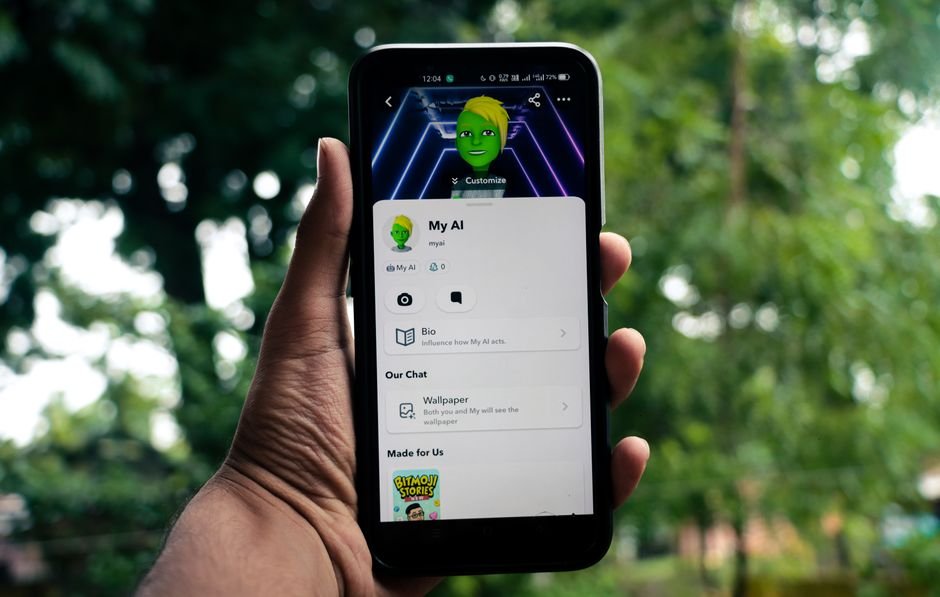
The automation ecosystem breaks into several functional categories: content generation (creating captions, posts, and hashtags), scheduling platforms (determining optimal posting times), analytics integration (measuring performance and ROI), and audience engagement tools (responding to comments and messages). The most comprehensive solutions combine multiple functions into unified platforms, though many businesses use a layered approach with specialized tools for each function.
Understanding where automation adds genuine value matters before implementation. AI excels at producing first drafts, analyzing engagement patterns, and handling routine scheduling tasks. It struggles with deeply personal brand storytelling, real-time crisis response, and building the human connections that drive genuine community. The most effective automation strategies use AI to handle volume and consistency while reserving human oversight for strategy, voice, and meaningful interaction.
Selecting the Right AI Social Media Tool for Your Needs
The market offers tools across different price points and capability levels. Buffer’s AI Assistant, integrated into their core platform, generates social media captions starting at $15 per month for individual creators. Hootsuite’s OwlyLabs, their AI-powered content suite, requires their Professional plan at $739 per month for teams. MeetEdgar, focused on content recycling and automation, costs $49 monthly for their core offering. Later’s AI Caption feature integrates into their Visual Marketing Suite starting at $25 per month.
For businesses just beginning automation, our picks emphasize ease of implementation and clear ROI. Buffer’s solution ranks highest for solo operators and small teams because it requires minimal setup while delivering immediate value through AI-generated captions. The tool integrates with existing Buffer workflows, meaning no new systems to learn. According to Buffer’s own usage data from 2023, users who activate AI caption generation increase their posting consistency by 300% on average.
Mid-market teams typically benefit from platforms offering deeper customization. Hootsuite’s OwlyLabs provides brand voice fine-tuning through training on your existing content library, and integrates with their established approval workflows that many larger organizations already use. Sprout Social, at $499 per month for their Professional tier, offers similar capabilities with particularly strong performance analytics that feed back into content recommendations.
The decision framework should include: number of social accounts you manage (tools scale differently from 1-3 channels to 10+), current platform integrations (does it connect to your existing CRM or content management system), and your team’s technical comfort level. Most platforms offer free trials of 7-14 days, sufficient for evaluating whether the AI output quality matches your brand standards.
Setting Up Your AI Content Generator and Training It on Brand Voice
Implementation begins with platform selection and account creation. After signing up, the critical step is training the AI on your brand voice. This involves feeding the system your previous high-performing posts—typically 20-50 examples—so the generative model learns your tone, vocabulary, common themes, and messaging priorities. Platforms like Hootsuite and Lately ask you to either upload a CSV of past posts or connect directly to your social accounts to pull historical content automatically.
During this training phase, you’ll also establish content parameters. Define your posting frequency (many B2B companies post 3-5 times weekly on LinkedIn, while consumer brands on Instagram post daily or more), content mix (what percentage educational vs. promotional vs. engagement-focused), and any brand guidelines or compliance requirements. If you operate in regulated industries—financial services, healthcare, legal—document these restrictions explicitly so the AI understands boundaries.
Most platforms ask you to rate generated content samples as “keep,” “improve,” or “reject.” This feedback loop typically requires 10-15 minutes of interaction and substantially improves subsequent output quality. Many users report the AI output quality becomes “usable with minimal editing” after completing initial training, up from much lower quality on first generation.
Start with your strongest-performing content pillar first. If you operate a SaaS company and your most-engaged posts are quick tips and tricks, train the AI first on that category. You’ll build confidence with smaller wins before expanding to more complex content types like announcement posts or crisis communication, which require greater human oversight regardless of automation level.
Creating Content Workflows and Approval Processes
Raw AI output requires oversight—not because AI generates gibberish, but because automated content needs alignment with current events, marketing campaigns, and brand safety. The most effective automation approaches build human review into the workflow rather than eliminating it. Hootsuite, Buffer, and Later all integrate approval workflows where team members can review, edit, or reject AI-generated content before it publishes.
A practical workflow looks like this: the AI generator creates five post options for the week on Monday morning. Your social media manager reviews these Tuesday morning, spending approximately 5-10 minutes per post making edits for topicality, fact-checking, and voice refinement. The edited posts move to a manager queue for approval by Wednesday. This entire process typically requires 30-45 minutes of human time weekly, compared to 2-3 hours if writing posts from scratch.
Set specific approval criteria to maintain consistency. Establish that all posts requiring numerical claims (statistics, pricing, dates) need verification before approval. Define which types of content can publish with only one approval layer versus those needing executive sign-off. Most teams find that company announcements, product-related posts, and anything touching competitive messaging require senior review, while educational tips, industry news sharing, and engagement-focused content can move faster through workflows.
Scheduling integrations matter here. The best platforms—Hootsuite, Sprout Social, and Later—connect approval workflows directly to their scheduling systems. Once approved, content can auto-schedule for optimal posting times based on historical engagement data. Hootsuite’s analytics engine, for instance, analyzes 90 days of posting history to recommend timing that can generate more engagement for accounts in the Professional tier.
Optimizing Posting Times and Analyzing Performance Automatically
Scheduling content at optimal times has measurable impact. Posts published during peak audience activity hours generally receive higher engagement than posts published during off-peak hours. Rather than guessing, let the AI layer handle this optimization automatically.
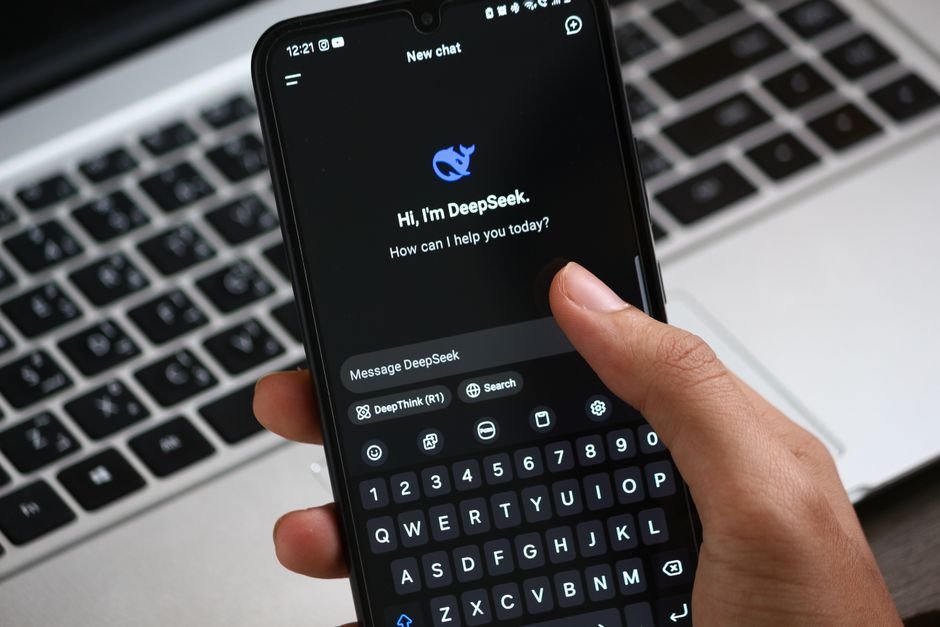
Most advanced platforms analyze your historical posting patterns and audience engagement data to recommend ideal posting times. Later’s AI scheduler examines when your existing audience is most active and generates posting time recommendations specific to each platform and content type. The system learns that your LinkedIn audience engages most heavily 8-9 AM on weekdays, while your Instagram audience peaks 6-8 PM and midday on weekends.
Enable automatic scheduling optimization where the platform manages timing without human intervention. Set a publishing window—say, 7 AM to 8 PM—and let the AI select specific times within that window based on audience data. This removes a decision point from your workflow while improving outcomes. Engagement rates often improve in the first month when switching from manual to algorithm-optimized posting times.
Track the connection between automation and actual business results. Most platforms provide analytics dashboards showing impressions, engagement rates, click-throughs, and conversions tied to individual posts. Export 30 days of pre-automation data and 30 days of post-automation data to establish your baseline. You’re looking for: is engagement maintaining or improving, is reach growing, are conversions tracking upward. If engagement declines more than 15%, the AI voice likely drifts from your audience expectations and requires additional training.
Using AI for Community Management and Engagement Automation
Content creation represents only one dimension of social media management. Community engagement—responding to comments, answering questions, addressing mentions—typically consumes 30-50% of social media time for active accounts. AI tools now handle routine engagement at scale while flagging conversations requiring human attention.
Platforms like Hootsuite and Sprout Social include AI-powered response suggestions that analyze incoming comments and generate contextually appropriate replies. A customer asks “What are your hours?” and the system suggests pulling that information from your business profile and auto-drafting a response. You review the draft—typically a 3-5 second process—and publish it, or let certain pre-approved responses auto-publish to common questions.
Set up rules for different engagement types. Common questions about operating hours, basic product information, or order status can move to auto-response with human monitoring. Complaints, praise requiring personalization, or complex technical questions should always reach a human team member. Most platforms allow you to flag conversations by keyword—if someone uses words like “problem,” “broken,” “complaint,” or “refund,” the system immediately routes to your queue rather than attempting automated response.
Many brands using AI-assisted comment management report faster average response times while reducing team time spent on routine responses. The efficiency gains matter because faster responses correlate with higher customer satisfaction.
Measuring ROI and Iterating Your Automation Strategy
Automation value becomes tangible when measured against clear metrics. Define your baseline before implementing changes. Measure current hours spent weekly on social media management, current engagement rates (interactions per post), current reach, and any business metrics connected to social (leads, conversions, customer acquisition cost). Most tools provide this data natively, though you may export to a spreadsheet for easier before-and-after comparison.
After four weeks of automation, re-measure. Time spent should decrease significantly when using AI for post generation and scheduling. Businesses implementing AI social management tools often reduce total time spent on social media, with the biggest gains in content creation and scheduling.
Engagement rates typically stabilize or improve modestly in the first month as the AI learns your audience preferences, then continue improving as you refine training data and adjust approval guidelines based on what performs well. Reach often increases simply because consistent automated posting maintains presence—posting 5 times weekly consistently reaches more accounts than posting 3 times weekly inconsistently, even if posting quality remains identical.
Revenue impact depends on your business model. E-commerce businesses track social-attributed sales; service providers track inquiry volume; B2B companies track qualified lead flow. Most platforms integrate with UTM parameter tracking or native pixel installation that connects social posts to downstream conversions. After 8-12 weeks of consistent automated posting, you should have data showing whether social-driven revenue changed, and by how much.
Use performance data to iterate. If AI-generated educational content consistently outperforms promotional content, request the AI allocate more of its generation capacity to educational posts. If certain topics generate 3-4x average engagement, label these as priority topics and request the AI generator focus there. If specific post types consistently need heavy editing, adjust training data or provide clearer guidelines to reduce revision time.
Avoiding Common Pitfalls and Maintaining Brand Safety
Automation introduces specific risks that merit attention. The most common pitfall is over-automation without quality control—publishing AI-generated content without human review. This approach typically results in tone drift, factual errors, or brand-misaligned messaging within 2-4 weeks. Maintain human approval checkpoints for all content before publishing, even if approval becomes faster with practice.
A second risk is under-training the AI on brand voice. If you upload only 5-10 examples of previous posts, the AI works with insufficient data to establish clear patterns. Most platform documentation recommends 20-50 examples minimum; larger accounts benefit from 100+ examples to ensure the AI captures nuance. Investing 30-60 minutes in quality training input pays dividends through the entire automation lifecycle.
Timing and relevance gaps occur when automation runs independently from your marketing calendar and current events. An AI scheduler might publish a post about summer promotions on the day a company tragedy occurs, or suggest a tone-deaf topic given current events. Prevent this by maintaining a marketing calendar that feeds into your AI tool, blocking dates for sensitive campaigns, and teaching the AI tool when to pause automation entirely (during crises, major announcements, or sensitive periods).
Compliance violations emerge when regulated industries don’t build sufficient safeguards into automation. Financial services firms, healthcare providers, and legal professionals must ensure AI generators understand compliance requirements, disclosure mandates, and risk language. Test extensively in a review environment before automation touches production accounts. Train on compliant historical content exclusively, and maintain legal review of all compliance-adjacent posts regardless of automation level.
By building human oversight into workflows, starting with conservative automation scope, and iterating based on results, these pitfalls remain entirely preventable. The goal is amplifying human judgment through AI efficiency, not replacing human judgment with AI execution.
Automating social media content through AI tools represents one of the highest-ROI efficiency improvements available to modern marketing teams. By selecting appropriate tools, investing in proper training, building thoughtful approval workflows, and measuring results rigorously, you can reduce your social media time investment by 50-70% while maintaining or improving engagement, reach, and business results. Start narrow, prove value within one content pillar, then expand systematically to other platforms and content types.
Get the AI Edge, Weekly
The tools, tutorials, and trends that actually pay — no hype.


