Affiliate Disclosure: This article contains affiliate links. We may earn a commission at no extra cost to you when you purchase through our links.
AI workflow automation is transforming how businesses operate in 2025. Gone are the days of simple rule-based automation. Today's intelligent systems can think, learn, and adapt to complex business scenarios.
In my years of implementing AI solutions for businesses, I've seen firsthand how the right automation strategy can revolutionize operations. This complete guide will walk you through everything you need to know about AI workflow automation in 2025.

Understanding AI Workflow Automation Fundamentals
AI workflow automation combines artificial intelligence with business process automation. Unlike traditional automation that follows rigid rules, AI-powered workflows can make intelligent decisions, learn from patterns, and adapt to new situations.
The core components include:
- Machine Learning Models: These analyze data and make predictions
- Natural Language Processing: Handles text and communication
- Computer Vision: Processes images and documents
- Decision Engines: Make intelligent choices based on data
McKinsey reports that 60% of occupations could automate at least 30% of their activities with AI and automation technologies. This isn't about replacing humans. It's about amplifying human capabilities.
What makes AI automation different? Traditional automation breaks when it encounters unexpected scenarios. AI automation adapts and learns from these situations.
Popular AI Automation Platforms and Tools
Choosing the right platform can make or break your automation initiative. I've tested dozens of tools, and here are the standouts for 2025:
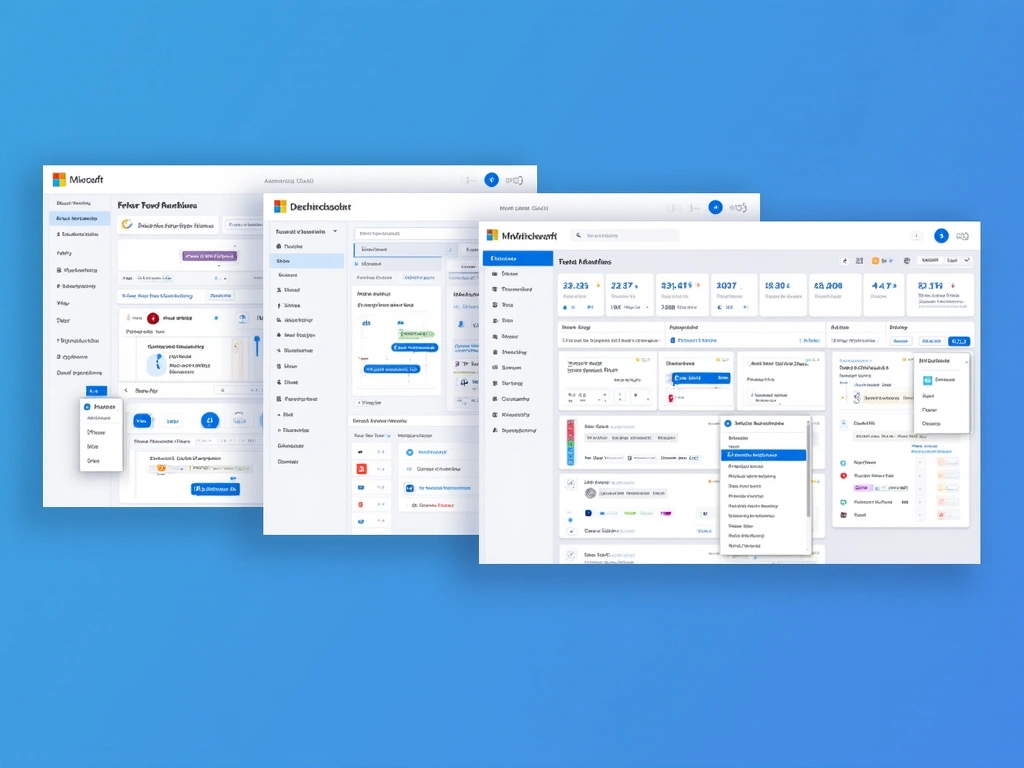
Microsoft Power Automate
Best for Office 365 integration. Power Automate's AI Builder lets you create custom models without coding. Starting at $15/user/month, it's perfect for organizations already using Microsoft ecosystem.
I've found it excels at document processing and email automation. The learning curve is gentle, making it ideal for business users.
UiPath
The enterprise champion. UiPath combines robotic process automation with AI capabilities. Their Process Mining feature helps identify automation opportunities you might miss.
Pricing is custom, but expect enterprise-level investment. Worth it for large-scale deployments.
Zapier
User-friendly for small businesses. Over 6000 app integrations make it incredibly versatile. Plans start at $19.99/month.
Recent AI features include smart suggestions and automated data formatting. Perfect for connecting different tools without technical expertise.
Automation Anywhere
Cloud-native with built-in AI. Their Bot Marketplace offers pre-built automation for common processes. Enterprise pricing varies by requirements.
Strong security features make it popular in regulated industries like finance and healthcare.
Implementation Strategies and Best Practices
Successful AI automation requires strategy, not just technology. Here's my proven approach:
Step 1: Process Assessment
Start by mapping your current processes. Look for tasks that are:
- Repetitive and time-consuming
- Error-prone when done manually
- Data-heavy
- Following predictable patterns
In my experience, document processing and data entry are often the best starting points. They deliver quick wins that build organizational confidence.
Step 2: Pilot Project Selection
Choose a process that's important but not mission-critical for your first automation. This gives you room to learn without major business risk.
I recommend focusing on processes that take 2-4 hours weekly. This provides measurable time savings without overwhelming complexity.
Step 3: Data Preparation
Clean data is crucial. AI automation is only as good as the data it processes. Spend time standardizing formats and removing inconsistencies.
Studies show that poor data quality can reduce automation effectiveness by up to 80%.
Step 4: Building and Testing
Start simple. Build basic workflows first, then add AI capabilities gradually. This approach reduces complexity and makes troubleshooting easier.
Always test with real data in a safe environment before going live.
Industry-Specific Use Cases and Applications
Different industries have unique automation opportunities. Here's what I've seen work across sectors:
Customer Service
AI chatbots now handle 80% of routine inquiries. Modern systems can understand context, access customer history, and escalate complex issues to humans seamlessly.
I've implemented chatbots that reduced response times from hours to seconds while maintaining customer satisfaction scores.
Financial Processing
Invoice processing, expense approvals, and compliance checks are prime automation targets. AI can extract data from documents, validate against business rules, and flag anomalies.
One client saw 90% reduction in invoice processing time after implementing AI automation.
Healthcare Documentation
Medical transcription, patient record updates, and appointment scheduling benefit enormously from AI automation. Natural language processing can extract relevant information from doctor notes and update patient records automatically.
Marketing Automation
Lead scoring, content personalization, and campaign optimization now rely heavily on AI. These systems can analyze customer behavior patterns and trigger appropriate responses automatically.
Gartner predicts that by 2025, 70% of organizations will implement structured automation to provide business flexibility and efficiency.
Supply Chain Optimization
Demand forecasting, inventory management, and logistics planning use AI to optimize operations. These systems can predict supply disruptions and automatically adjust procurement schedules.
Integration Challenges and Solutions
Implementation isn't always smooth. Here are common challenges and my recommended solutions:
Data Quality Issues
Poor data quality is the biggest automation killer. Invest in data cleansing before building workflows. Establish data governance practices to maintain quality over time.
I always recommend appointing a data steward for each automated process.
System Compatibility
Legacy systems often don't play nicely with modern AI tools. API integration is usually the best approach, but sometimes you need middleware solutions.
Consider tools like system integration middleware for complex environments.
Security Concerns
AI automation processes sensitive data. Implement proper access controls, encryption, and audit trails from the start.
Regular security assessments are essential. I recommend quarterly reviews for mission-critical automated processes.
Change Management
Employee resistance can derail automation projects. Involve users in the design process. Show them how automation removes boring tasks and lets them focus on valuable work.
Training is crucial. Budget for comprehensive user education and ongoing support.
ROI Measurement and Performance Optimization
Measuring success requires the right metrics. Here's what I track:
Key Performance Indicators
- Time Savings: Hours saved per process
- Error Reduction: Decrease in manual mistakes
- Cost Savings: Reduced labor and operational costs
- Processing Speed: Time from input to output
- User Satisfaction: Employee and customer feedback
According to Deloitte, companies using AI automation see an average 15-25% reduction in operational costs within the first year.
Continuous Improvement
AI automation isn't set-and-forget. Regular monitoring and optimization are essential. I recommend monthly performance reviews and quarterly strategy assessments.
AI-powered workflows can reduce processing time by 50-90% for document-heavy processes, but only with proper maintenance and optimization.
Consider investing in business process analytics software to track performance metrics effectively.
Future Trends and Emerging Technologies
The AI automation landscape continues evolving rapidly. Here's what's coming in 2025 and beyond:
Generative AI Integration
ChatGPT and similar technologies are being integrated into workflow platforms. This enables automated content creation, code generation, and complex problem-solving within business processes.
I'm already seeing clients use generative AI for automated report writing and customer communication.
Autonomous Agents
The next evolution involves AI agents that can handle entire processes independently. These systems can make decisions, interact with multiple systems, and adapt to changing conditions without human intervention.
Multi-Modal AI Workflows
Future systems will seamlessly combine text, voice, image, and video processing. Imagine workflows that can understand spoken instructions, process visual documents, and generate multimedia responses.
PwC estimates that AI could contribute up to $15.7 trillion to the global economy by 2030, with workflow automation being a key driver.
No-Code/Low-Code Evolution
Automation tools are becoming more accessible. Business users can now build sophisticated AI workflows without programming knowledge.
Forrester research shows that 73% of organizations plan to invest more in intelligent automation technologies in 2025.
Essential Tools and Resources
Success requires the right tools. Here are my recommendations:
- Workflow Automation Books – Stay current with best practices
- Business Process Management Software – Map and analyze processes
- Data Analytics Tools – Monitor automation performance
Getting Started: Your 30-Day Action Plan
Ready to begin? Here's your roadmap:
Week 1: Process mapping and opportunity identification
Week 2: Tool evaluation and pilot project selection
Week 3: Initial workflow building and testing
Week 4: Deployment and performance monitoring setup
Start small, measure everything, and scale gradually. This approach has worked for every successful automation project I've managed.
Frequently Asked Questions
Q: What's the difference between traditional automation and AI workflow automation?
A: Traditional automation follows rigid rules and breaks when it encounters unexpected scenarios. AI automation can adapt, learn from new situations, and make intelligent decisions based on data patterns and context.
Q: Which AI automation platform is best for small businesses vs enterprises?
A: Small businesses should consider Zapier or Microsoft Power Automate for their ease of use and affordable pricing. Enterprises benefit from UiPath or Automation Anywhere, which offer advanced features, better security, and scalability for complex operations.
Q: How much does AI workflow automation typically cost to implement?
A: Costs vary widely. Small business solutions start at $20-50/month per user, while enterprise platforms can cost thousands monthly. Factor in training, integration, and ongoing maintenance. Most organizations see ROI within 6-12 months.
Q: What processes should I automate first when starting with AI workflows?
A: Start with high-volume, repetitive tasks that are currently error-prone. Document processing, data entry, email routing, and basic customer inquiries are excellent starting points. Choose processes that take 2-4 hours weekly for measurable impact.
Q: How long does it typically take to see ROI from AI workflow automation?
A: Most organizations see initial ROI within 3-6 months for simple automations, and 6-12 months for complex processes. Time savings are usually immediate, while cost savings accumulate over time. The key is starting with high-impact, low-complexity processes.
AI workflow automation represents one of the biggest opportunities for business transformation in 2025. The technology is mature, the tools are accessible, and the ROI is proven. The question isn't whether to automate, but where to start.
Begin with a single process. Measure the results. Learn from the experience. Then scale your success across your organization. The future of business operations is intelligent, automated, and incredibly exciting.